Deploy the DeepSeek-R1 model using Ollama and Open WebUI
Ollama is an open-source tool that lets you run, manage, and customize large language models (LLMs) on a personal computer or server, supporting various models such as Llama, DeepSeek, and Mistral. Open-WebUI is an open-source web interface specifically designed for interacting with Ollama, providing a user-friendly and easy UX for managing and using LLM models.
This document describes the steps to deploy the DeepSeek-R1 model to the FPT Managed GPU Cluster using Ollama and Open-WebUI so you can use it easily.
Step 1: Clone the Open-WebUI source code and existing scripts.
git clone https://github.com/open-webui/open-webui
cd open-webui/kubernetes
Step 2: Run the script to deploy ollama and open-webui. The folder contains all the files required for deployment, including namespace, ollama statefulSet, ollama service, open-webui deployment, and open-webui service.
cd kubernetes
kubectl apply -f ./kubernetes/manifest
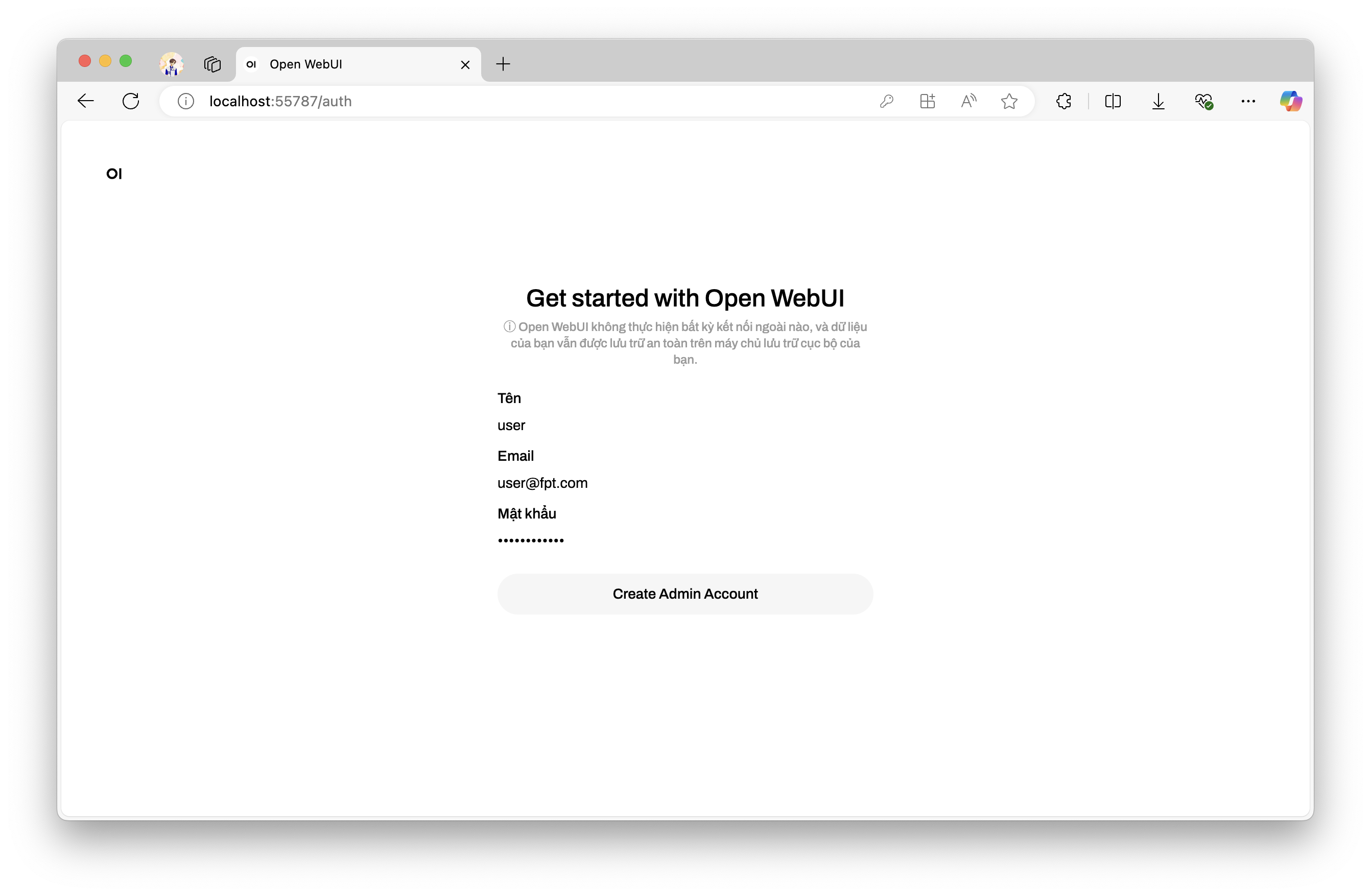
Step 3: Access open-webui in the browser via the forwarded port (e.g., http://localhost:52433). If you are installing and using OpenWebUI for the first time, you need to set up your name, email, and password.
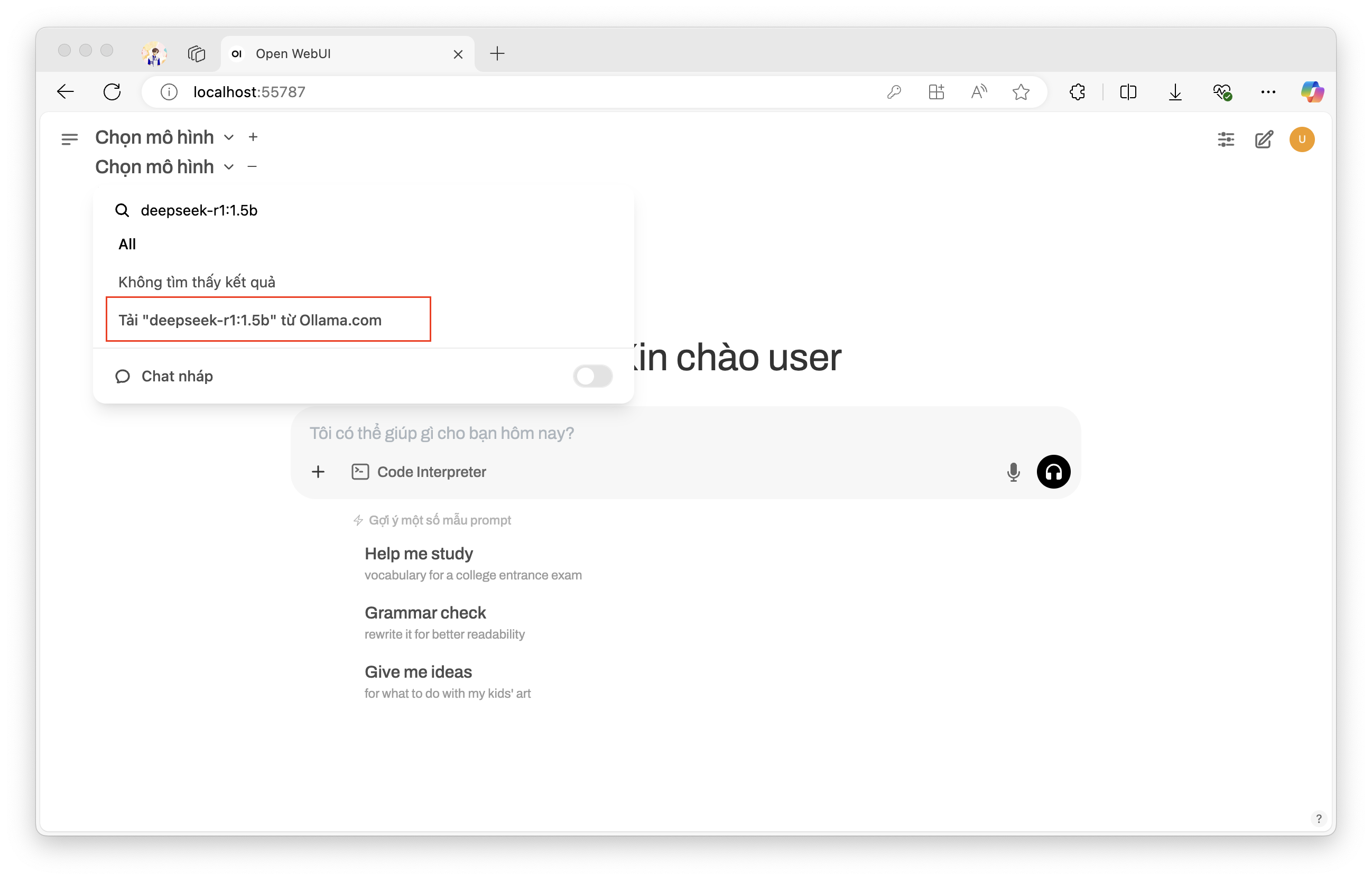
Step 4: Once installation is complete, select the model you want to use. As an example, install the DeepSeek-R1 model (version 1.5b).
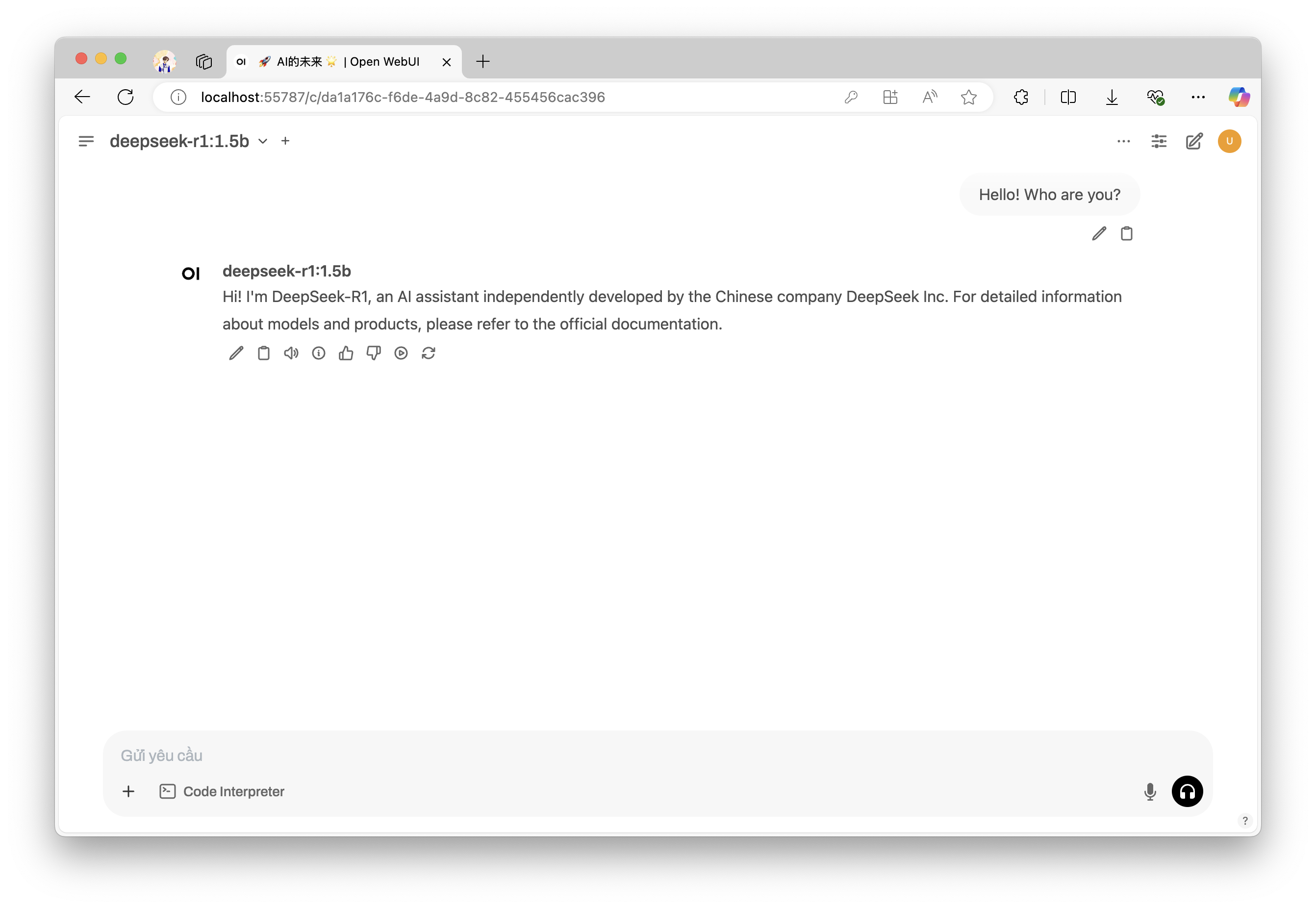
Step 5: Once the model has been downloaded and is running, you can easily interact with it through the interface.